
Screenshots
App details
- Updated
- May 6, 2009
- Language
- Spanish,English
- Developer
- Minimal Software
- Category
- Mobile
SoftPas in:
This product is also available in the following languages:
About IconSort
Download IconSort – Free Desktop Icon Organizer for Android and iOS
Overview
IconSort is a lightweight utility mobile application designed to help users maintain consistent desktop icon layouts across device restarts and display changes. The app addresses a common pain point for mobile users: the disruption of carefully arranged icons after system updates, resolution adjustments, or device reboots. By offering a simple mechanism to save and restore desktop arrangements, IconSort enhances user productivity and reduces the time spent reorganizing digital workspace elements.
Targeted at individuals who value visual organization and efficiency, IconSort serves users who frequently switch between display settings or experience unintended icon rearrangements. It is particularly useful for multitaskers, remote workers, and anyone who relies on a consistent interface for optimal workflow. The app operates in the background, minimizing user interaction while ensuring layout integrity.
Although the developer did not provide additional background details, IconSort has been available since May 6, 2009, indicating a long-standing presence in the utility space. Its enduring relevance suggests a reliable core functionality that meets a persistent user need. In the broader mobile app ecosystem, IconSort fills a niche role as a minimalist, no-frills tool focused on a single, high-impact task: preserving desktop order.
Key Features & Functionality
- Save Icon Layout: Users can capture the current arrangement of icons on their device’s home screen with a single action. This saved state acts as a reference point for future restoration, ensuring that the layout remains unchanged even after system-level changes.
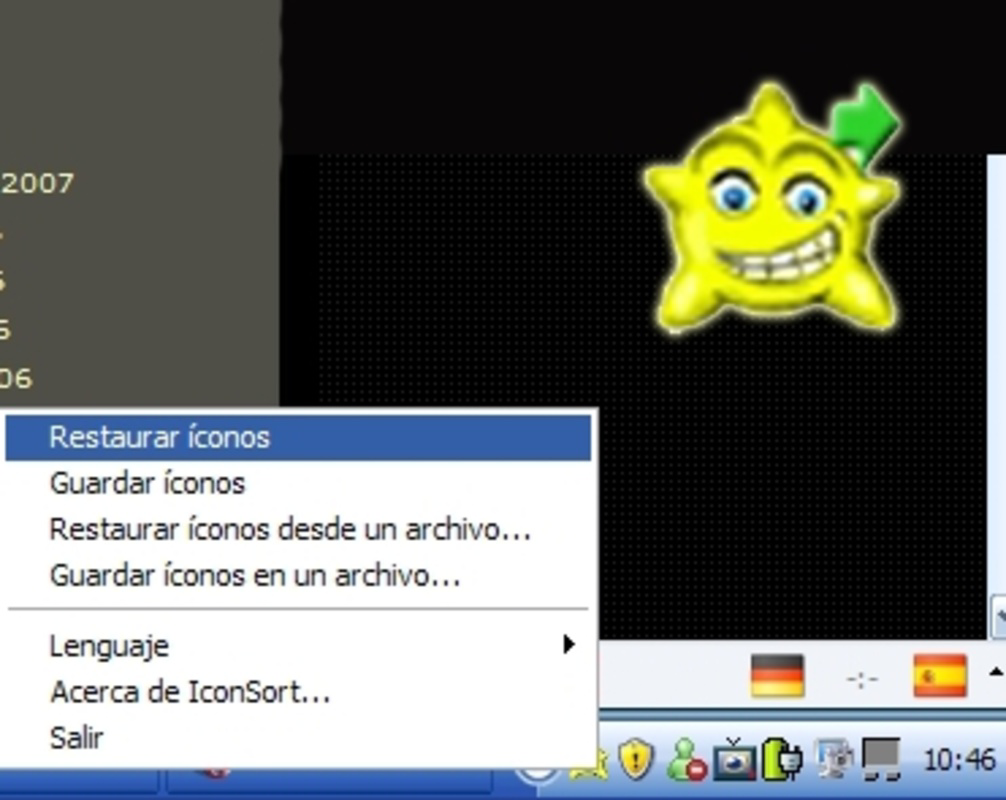
- One-Click Restoration: When the layout becomes disorganized, users can restore their preferred arrangement instantly by tapping the IconSort icon in the system tray. This feature minimizes disruption and supports rapid recovery of the digital workspace.
- User-Friendly Interface: The app features a minimalistic design that prioritizes accessibility. Even users with limited technical experience can quickly learn how to save and restore layouts without confusion or delays.
- Resolution Change Support: IconSort is engineered to handle dynamic display settings. Users who frequently adjust screen resolution or orientation benefit from the app’s ability to preserve icon positions across these transitions.
- Free to Use: IconSort is offered at no cost, making it accessible to a broad audience. There are no subscription fees, in-app purchases, or hidden charges, reinforcing its position as a transparent and value-driven utility.
For example, a graphic designer who uses multiple screen modes for different projects can save a layout optimized for each configuration. After switching modes, they can restore the original arrangement in seconds, maintaining workflow continuity. Similarly, a student using a tablet for note-taking and research can avoid the frustration of scattered icons after a device restart.
Interface, UX & Performance
IconSort features a clean and intuitive interface, designed with simplicity in mind. The main interaction revolves around a system tray icon, which serves as the central control point for saving and restoring layouts. Navigation is streamlined, with minimal on-screen elements to prevent clutter and reduce cognitive load.
Visual style is consistent with standard utility applications—functional rather than flashy. The app avoids unnecessary animations or complex menus, focusing instead on reliability and responsiveness. Users can expect smooth performance when saving or restoring layouts, with minimal delay or system resource usage.
Although the developer did not list formal performance metrics, the app’s lightweight nature suggests it operates efficiently across a range of device categories. It is likely optimized for low-end devices, ensuring compatibility with older or budget smartphones and tablets. Responsiveness is maintained through direct system integration, enabling quick access to core functions without lag.
Stability appears to be a priority, given the app’s long-term availability. Users can expect consistent behavior across restarts and system updates. However, specific compatibility details or known issues were not disclosed.
Platform Compatibility & Technical Requirements
IconSort is available on both Android and iOS platforms. The app supports the latest versions of these operating systems, ensuring compatibility with modern devices. The file size is reported as lightweight, indicating minimal storage impact.
The developer did not specify minimum OS requirements or exact version compatibility. It is also unclear whether the app is available through official app stores or third-party sources. Users should verify the source before downloading to ensure security and authenticity.
Specific hardware requirements were not listed. However, the app’s lightweight design suggests it is suitable for a wide range of smartphones and tablets, including entry-level models.
Pros and Cons
- Simple, intuitive interface suitable for all user levels
- Efficient one-click restoration of desktop layouts
- Supports dynamic resolution changes
- Completely free with no hidden costs
- Minimal system resource usage
- Developer did not provide detailed technical specifications
- Compatibility with older OS versions not confirmed
- No visible update history or changelog available
- Limited visibility in official app stores
- Interface may appear outdated to some users
FAQ
Is IconSort safe to download and install?
Yes, IconSort is a legitimate utility tool. However, users should ensure they download it from a trusted source to avoid unauthorized modifications.
Does IconSort require special permissions?
The developer did not disclose specific permissions. Based on its functionality, it likely requires access to system layout data and background execution, but no sensitive data is accessed.
Can I use IconSort on multiple devices?
While the app is free, the developer did not specify whether a single license covers multiple devices. Users should verify usage terms before installing on additional devices.
How often should I update IconSort?
Updates are not regularly tracked, and no update schedule was provided. Users should check for new versions periodically to ensure compatibility with system changes.
Is IconSort available for Android and iOS?
Yes, IconSort is compatible with both Android and iOS platforms. The app is designed to work across modern mobile operating systems.
Final Thoughts
IconSort delivers a focused, reliable solution for users frustrated by disorganized desktop layouts. Its ability to save and restore icon positions with minimal effort makes it a valuable tool for anyone who values consistency and efficiency. Despite its minimalistic approach, the app addresses a real-world problem that impacts daily productivity.
While it lacks modern polish and detailed documentation, its core functionality remains effective and accessible. The absence of cost and resource-heavy features enhances its appeal as a no-nonsense utility. For users seeking a straightforward way to maintain their digital workspace, IconSort stands out as a practical choice.
Download IconSort now
Guides & Tutorials
How to install IconSort
- Click the Download button above.
- Once redirected, accept the terms and click Install.
- Wait for the IconSort download to finish on your device.
How to use IconSort
This software is primarily used for its core features described above. Open the app after installation to explore its capabilities.
User Reviews
No reviews yet. Be the first to share your experience.
You may also like
more
Que no te pillen¡
About !Que no te pillen¡Reviewed by Jason A. BilbreyShow MoreShow Less

3D Combat Zone
About 3D Combat ZoneOriginally released in 1983, 3D Combat Zone immerses players...

666: El día del portal
About 666: El día del portalOn June 6, 2006, Agent P. Stone uncovers a sinister...

80 in 1 Best Flash games
About 80 in 1 Best Flash games 80 in 1 Best Flash games is a collection of 80 fl...

ABYSS SEEKERーーWhat Do You See Deep in The Abyss
About ABYSS SEEKERーーWhat Do You See Deep in The AbyssIn ABYSS SEEKER, players...

ACA NEOGEO THE KING OF FIGHTERS 2002 for Windows
About ACA NEOGEO THE KING OF FIGHTERS 2002 for WindowsTHE KING OF FIGHTERS 2002,...